Finance-first features without enterprise drag
Complete control of your expense process. See every claim, approval, policy check, and payment in one place.
Everything you need to run any expense flow, with the controls, audit trails, and export-ready data finance teams are held to.
Effortless expense submission
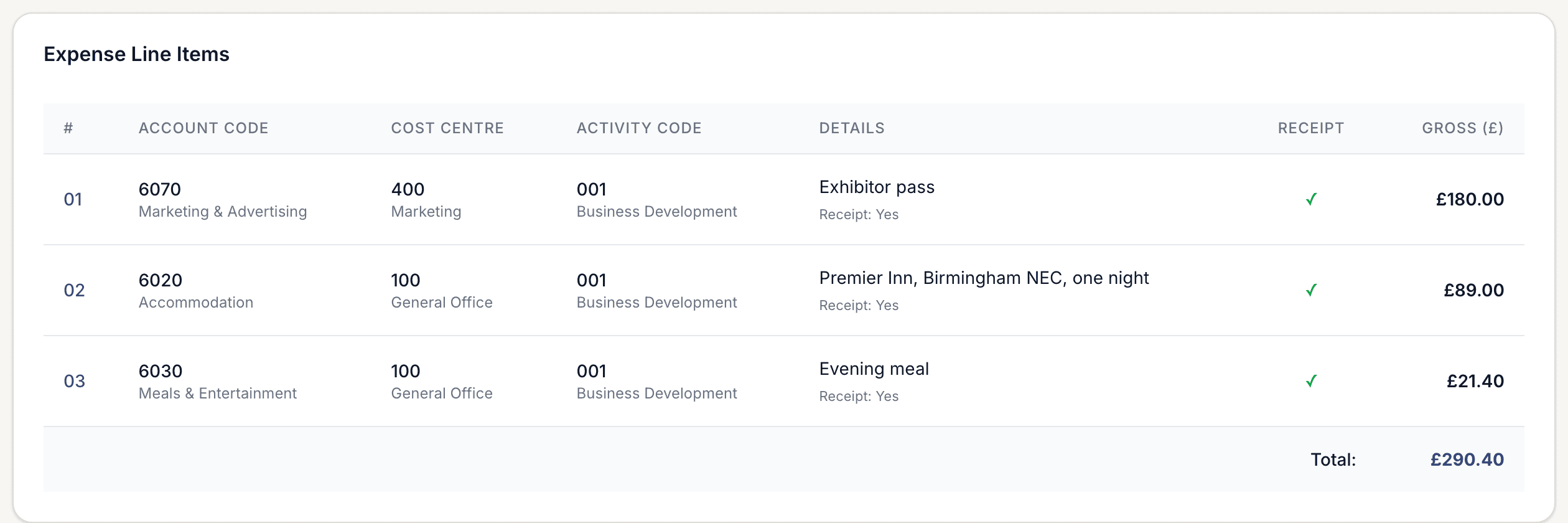
The faster a claim is submitted correctly, the less of it lands on finance.
Quick submission
Submit an expense in under two minutes with a form that only asks for what your policy actually needs.
Receipt capture
Photograph receipts from a phone or upload files from a desktop.
Auto-categorisation
Categories are suggested from the merchant and expense type.
Multi-currency
Support for 150+ currencies with automatic conversion at the submission date rate.
Draft saving
Part-finished claims are kept, so nothing is lost to a closed tab.
Bulk submit
Send a whole trip through as one claim with multiple lines.
Your expense policy, read and enforced
Upload the handbook you already have. It becomes an assistant staff can ask, and a rule set every claim is validated against.
I'm staying in London on Thursday for the client review. What can I book?
Up to £220 per night including VAT, excluding breakfast, for a business overnight stay. Outside London the limit is £150. Anything above that needs written approval before you book.
Expense Policy 2026 — 4.2 Accommodation
And if I take the client for dinner afterwards?
Client entertainment is claimable with the names and company of everyone attending. Tips are covered up to 10% in the UK where they are not already included on the bill.
Expense Policy 2026 — 6.1 Entertainment
The conversation is saved, so finance can see what staff are asking and where the policy is unclear.
Ask before you spend
Policy documents are indexed and searched semantically, so employees get a cited answer instead of scrolling a PDF or emailing finance.
Hotel, London — £268.00
Out of policyAccommodation, London: up to £220 per night incl. VAT
£48.00 over the nightly limit. Written approval required before booking.
Client gift — £65.17
Needs reviewGifts to clients: up to £50 per recipient per year
Over the general limit and needs director approval.
Rail, Leeds to London — £84.20
CompliantStandard class rail booked more than 7 days ahead
Within policy. No action needed.
Checked at submission, with the rule and the reasoning stored against the claim.
Validated at submission
Breaches are surfaced with the rule they break and the remedy, while the check itself is stored against the claim for audit.
Rule extraction
Upload your handbook and the limits, categories and conditions inside it are pulled out as testable rules you can review and edit.
Chat to your policy
Staff ask what they can claim in plain language and get an answer from your own document, with the clause it came from.
Saved conversations
Every policy conversation is kept, so answers stay consistent and finance can see what people keep asking about.
AI claim validation
Each line is checked against the extracted rules before submission, with a plain-English reason for anything outside policy.
Approval workflows that match how you already work
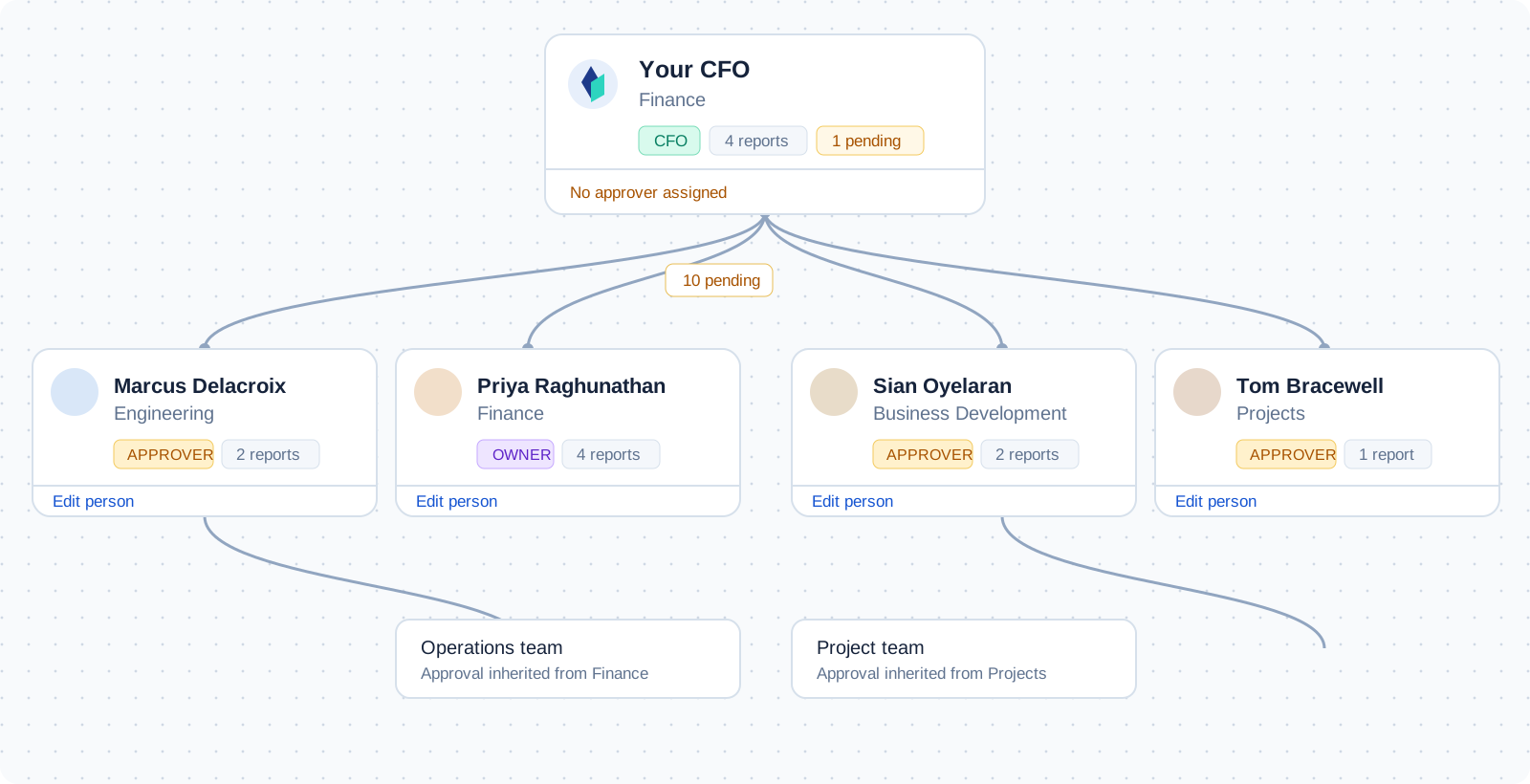
Route claims by amount, category, or cost centre, and let the routine ones through on their own.
Multi-level approvals
Build approval chains that branch on amount, category, or cost centre.
Batch actions
Clear a queue of straightforward claims in a single action.
Auto-approval rules
Let compliant, low-value claims through without a human step.
Delegation
Hand approval authority to a colleague while you are away.
Notifications
Email or Slack alerts when a claim is genuinely waiting on someone.
Approval comments
Ask a question on the claim itself instead of starting an email thread.
Tracking and reporting
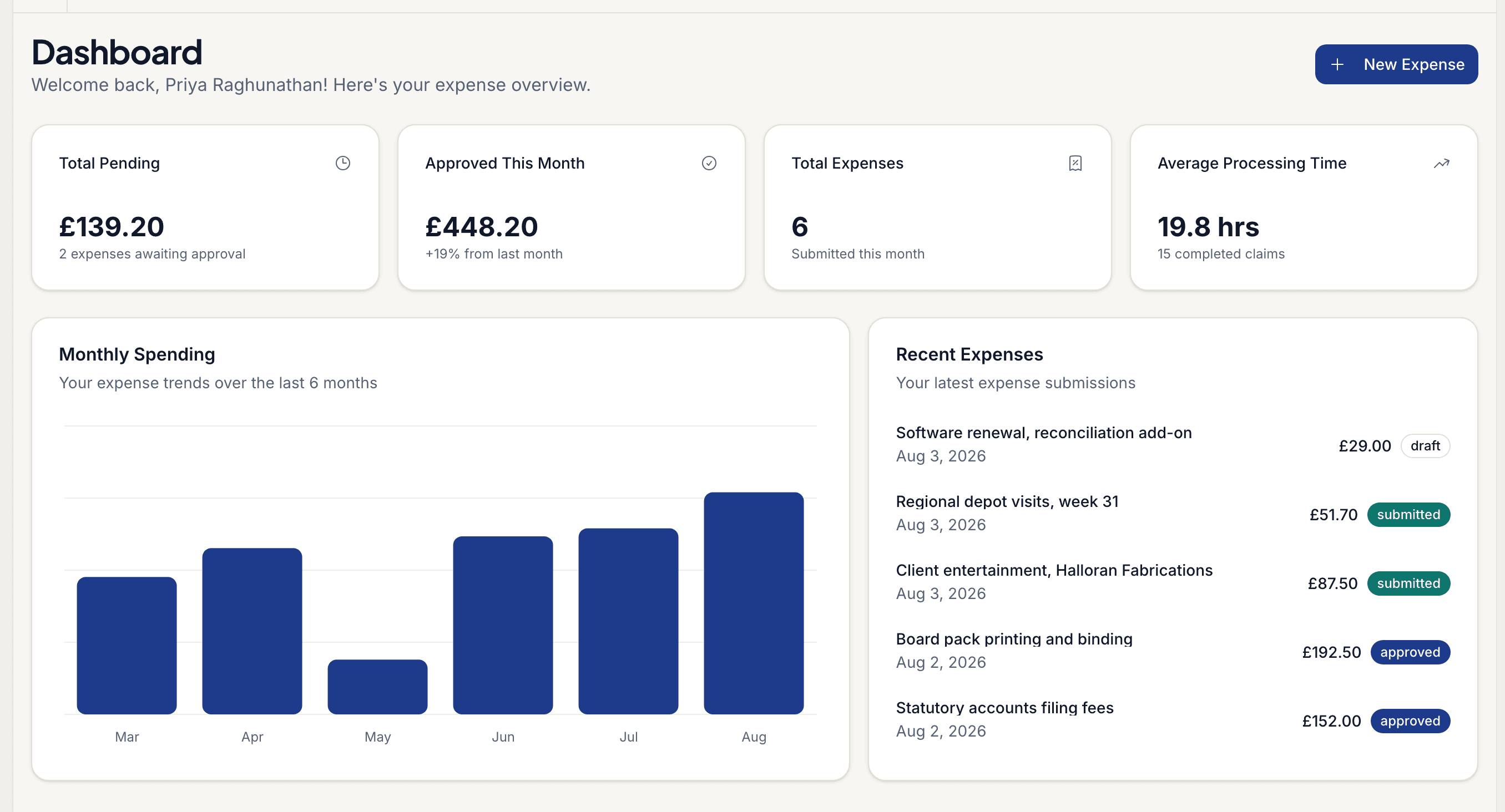
Real-time visibility into what your organisation is spending, and the exports to prove it at period end.
See board reportingReal-time dashboard
Pending, approved, and paid at a glance.
Spending trends
See how spend moves by month, team, and category.
Budget tracking
Set budgets by category, department, or project.
Advanced filtering
Filter by date, status, claimant, category, and more.
Full-text search
Find any claim, receipt, or justification quickly.
Export
CSV and Excel exports shaped for your accounting system.
Security and compliance
Policy enforcement and evidence collection are part of the workflow, not a separate project.
Policy enforcement
Violations detected at submission, not at month end.
Role-based access
Control who can view, approve, and export.
Audit trail
Every action and change, timestamped and immutable.
Encryption
Receipts and claim data encrypted in transit and at rest.
See these features against your own policy
Start a 14-day trial, or walk through it with us using your real claim volumes.